TLDR;
In a passage, highlight the text you want to change, then press on the rainbow item.
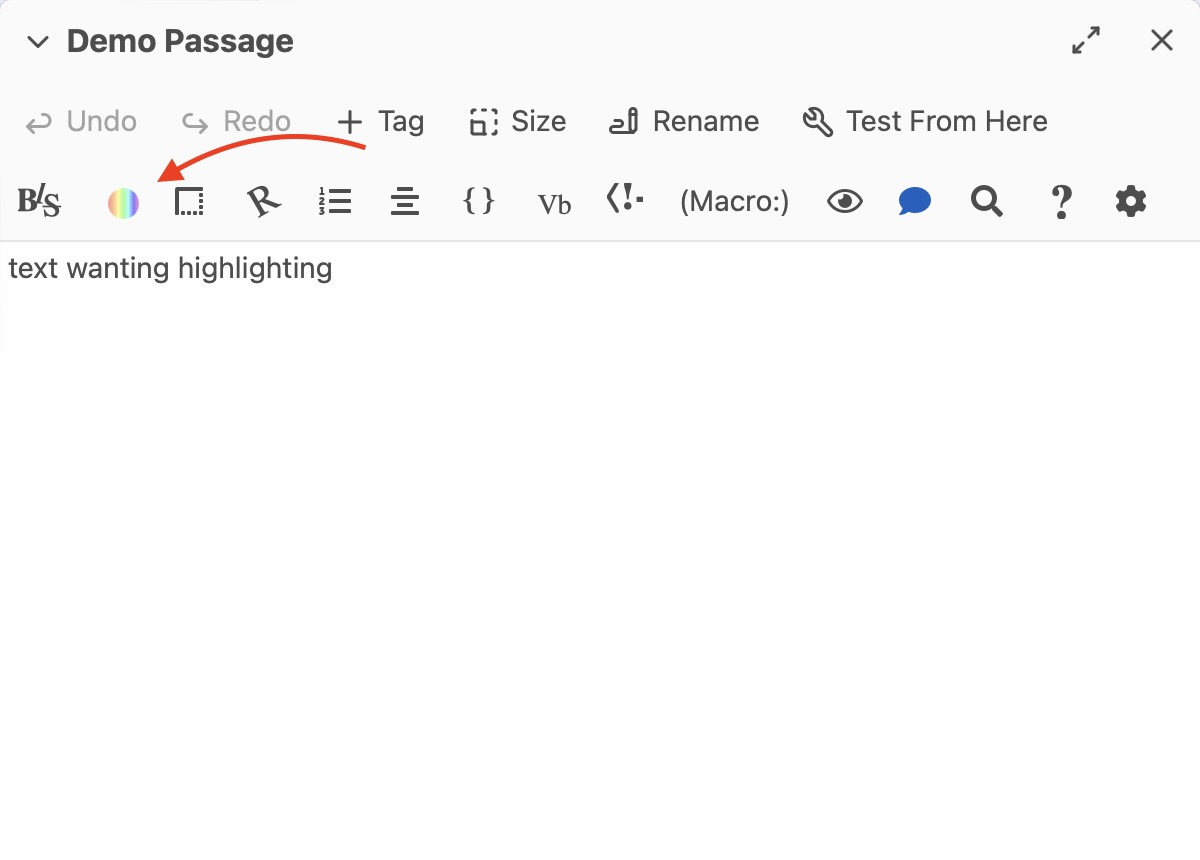
click flat color, then choose one of the preset colors OR use the box on the far left to choose the color you want.
If you didn’t highlight the text before selecting the color, make sure its inside of the [] square brackets.
Related
The Code
Harlowe has default built in colors, but can also use RGB, HEX, or HSL
Twine Defined Colors
(text-colour:"<COLOR_HERE>")[Text Here](is twine British?!)
(text-color:) can also be used. (Also known as…)
some built in colors are
| Colors |
|---|
red |
orange |
yellow |
lime |
green |
aqua or cyan |
blue |
navy |
purple |
magenta or fuchsia |
white |
black |
grey or gray |
transparent |
transparent colors make things disappear.
You can also add colors with + as long as they are the same type. (harlowe and Css can’t mix)
(text-colour:"red"+"yellow")[Text Here]CSS Colors can also be used. (List of CSS Colors)
you can also define colors with RGB, HEX, and HSL
RGB
rgb’s syntax is
(text-colour:(rgb: r, g, b))[Text Here]you can use a RGB Color Picker to replace r, g, and b.
(rgba: r, g, b, a) is also possible.
HEX
hex is simalar to rgb
(text-colour:#FF6443)[Text Here]notice how the hex isn’t in quotes.
HSL
(text-colour:(hsl:h, s, l))[Text Here]Also Known As…
aliases for this snippet are
(text-colour:)
(color:)
(text-color)
Non British version